

Your landing page is often the final gateway between a visitor's interest and a real business action — whether that is a signup, a purchase, a demo booking, or a lead form submission. It does not matter how good your ads are or how much traffic you drive — if the landing page fails to convert, the entire funnel breaks.
In 2026, users are faster, smarter, and less patient than ever. They decide whether to stay or leave within the first 3 seconds. That means your design, copy, structure, and speed all need to work together perfectly.
This guide covers everything — from common mistakes that kill conversions, to the anatomy of a perfect landing page, actionable design principles, and a complete CRO checklist you can use right now.
Why Most Landing Pages Fail (And What Goes Wrong)
Most landing pages do not fail because of bad offers. They fail because of bad UX and design decisions that create friction, confusion, and distrust. Here are the most common reasons:
1. Cluttered and distracted design
Too many elements, conflicting colors, and random sections overwhelm the user. When everything screams for attention, nothing gets it.
2. No clear value proposition
If a visitor cannot understand what you offer and why it matters within 5 seconds of landing, they will leave — no matter how beautiful the design is.
3. Weak or missing CTAs
Buttons that blend in, vague copy like "Submit" or "Click Here," and CTAs placed only at the bottom of the page all reduce conversion significantly.
4. Too many conversion goals
A landing page that asks users to sign up, follow on Instagram, read a blog, and watch a video simultaneously converts at none of them. One page = one goal.
5. No social proof or trust signals
People do not trust strangers on the internet by default. Without testimonials, client logos, reviews, or trust badges, visitors have no reason to believe your claims.
6. Poor mobile experience
Over 60% of web traffic comes from mobile devices in 2026. If your landing page is not designed mobile-first, you are losing the majority of your potential conversions.
7. No visual hierarchy
Without a clear hierarchy, users do not know where to look first. Confused users do not convert — they bounce.
The Anatomy of a Perfect Landing Page
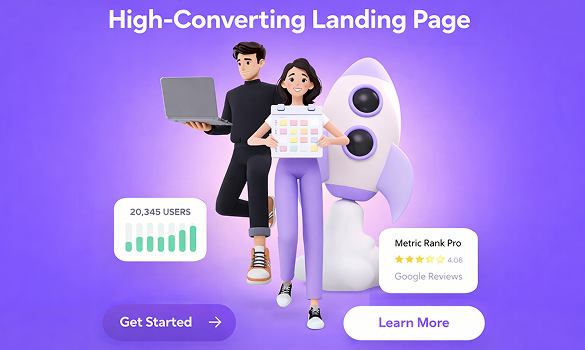
A high-converting landing page is not just good-looking — it is strategically structured. Every section has a job. Here is the anatomy of a landing page that consistently converts:
1. Navigation Bar (Minimal or None)
Remove or minimize navigation on dedicated landing pages. External links pull users away from the conversion goal. Keep only the logo and one CTA button in the header.
2. Hero Section (Above the Fold)
This is the most critical part. It must include:
- A bold, benefit-driven headline that instantly communicates value
- A short supporting subheadline (1–2 lines)
- A clear, high-contrast primary CTA button
- A relevant hero image or video that supports the message
- Optional: a trust line ("Trusted by 10,000+ businesses" or "No credit card required")
3. Social Proof Strip
Immediately below the hero, show client logos, a star rating, a user count, or a short testimonial. This instantly reduces skepticism and builds credibility.
4. Problem + Solution Section
Acknowledge the user's pain point first, then position your product or service as the specific answer. This creates an emotional connection before the sales pitch begins.
5. Features and Benefits Section
List what your product/service does — but always frame it as a benefit to the user, not just a feature. Instead of "Real-time analytics," say "See exactly what's working so you can stop guessing."
6. How It Works Section
A simple 3-step process section (Step 1 → Step 2 → Step 3) removes uncertainty and shows users how easy it is to get started. Clarity here directly increases form submissions and signups.
7. Testimonials / Case Study Section
Detailed social proof in the middle of the page re-engages users who are on the fence. Use real names, photos, company names, and specific results whenever possible.
8. Second CTA Section
Always repeat your CTA mid-page and at the very bottom. Users who read all the way down are highly interested — do not make them scroll back up to convert.
9. FAQ Section
Address the top 4–6 objections and questions directly on the page. This reduces support requests and keeps hesitant visitors in the funnel instead of losing them to uncertainty.
10. Footer (Minimal)
Keep it clean — privacy policy, terms, and contact link only. No full site navigation that could pull users away from the conversion goal.
CTA Design: How to Make Buttons That Get Clicked
Your call-to-action button is the single most important element on the landing page. Every design decision around it either increases or decreases conversions.
Color and Contrast
Your CTA button must visually stand out from everything around it. Use a color that contrasts strongly with the background and nearby elements. If your brand uses dark backgrounds, a bright accent (white, yellow, cyan, or green) works well. Never use the same color as decorative elements for your CTA.
Copy That Converts
Avoid generic labels. Compare:
- ❌ "Submit" → ✅ "Get My Free Audit"
- ❌ "Click Here" → ✅ "Start My Free Trial — No Card Needed"
- ❌ "Contact" → ✅ "Book a Free 30-Min Strategy Call"
- ❌ "Learn More" → ✅ "See How It Works in 2 Minutes"
Specific, benefit-driven CTA copy consistently outperforms generic labels in A/B tests.
Size and Placement
- CTA button must be large enough to notice immediately — never small or hidden
- Place it above the fold (visible without scrolling)
- Repeat it after key sections (after benefits, after testimonials, at the end)
- On mobile, make it full-width and thumb-friendly (minimum 48px height)
Urgency and Micro-Copy
Add a small trust or urgency line directly below the CTA button. Examples: "Free for 14 days. Cancel anytime." or "Join 5,000+ designers already using Webx." These micro-lines remove the final hesitation before clicking.
Trust Signals: How to Build Credibility Instantly
In 2026, users are more skeptical than ever. They have seen too many fake reviews and empty promises. Your landing page must proactively build trust at multiple points throughout the scroll.
Types of trust signals to use:
- Client logos: Even 4–6 recognizable brand logos add massive instant credibility
- Star ratings + review counts: "4.9/5 from 2,400+ reviews" is extremely powerful above the fold
- Real testimonials with photos: Always show name, photo, company, and a specific result — never generic quotes
- Case study numbers: "Helped 3x their organic traffic in 90 days" is far more believable than vague claims
- Security badges: SSL, GDPR compliance, payment security logos for e-commerce pages
- Awards and press mentions: "As seen in Forbes, Inc., Entrepreneur" adds authority instantly
- Team photos or founder faces: Real people behind the brand reduce anonymity anxiety
Placement of trust signals:
- Logo strip immediately below hero section
- Testimonials after features/benefits section
- Security badges near forms and CTA buttons
- Star ratings near the top of the page
Mobile-First Landing Page Design in 2026
Designing mobile-first is no longer optional — it is the baseline. Here is exactly what to focus on for mobile landing pages that convert:
- Hero headline should be readable at 28–36px on mobile without requiring a zoom
- CTA button must be full-width or near-full-width on small screens
- Avoid horizontal scrolling — every element must fit within the viewport width
- Compress and optimize all images — slow pages lose mobile users within 3 seconds
- Stack columns vertically on mobile — two-column desktop layouts become single-column on mobile
- Forms must be minimal — ask for only name and email on mobile if possible
- Tap targets (buttons, links) must be at least 44–48px tall for comfortable thumb use
- Avoid intrusive popups — Google penalizes interstitials that block content on mobile
Test your landing page on real devices — not just browser resize. What looks fine on desktop often breaks on actual phones with different font rendering and touch behavior.
Page Speed and Core Web Vitals: The Hidden Conversion Killer
Every 1-second delay in page load time can reduce conversions by up to 7%. In 2026, Google also uses Core Web Vitals as ranking signals, meaning a slow landing page hurts both your SEO and your conversions simultaneously.
Key performance metrics to optimize:
- LCP (Largest Contentful Paint): The hero image or headline should load within 2.5 seconds
- CLS (Cumulative Layout Shift): Avoid layout jumps caused by late-loading images, fonts, or ads
- INP (Interaction to Next Paint): Buttons and forms should respond within 200ms of user interaction
How to improve landing page speed:
- Use WebP or AVIF format for all images instead of PNG/JPEG
- Lazy-load below-the-fold images and videos
- Minimize CSS and JavaScript — remove unused libraries
- Use a CDN (Content Delivery Network) to serve assets faster globally
- Set explicit width and height on all images to prevent layout shifts
- Preload the hero image using <link rel="preload"> in the HTML head
A/B Testing: How to Improve Conversions After Launch
No landing page is perfect on day one. The highest-converting pages in the world are the result of continuous testing and iteration. A/B testing lets you compare two versions of a page element to see which one performs better with real users.
What to A/B test first:
- Headline: Test benefit-driven vs. curiosity-driven vs. question-based headlines
- CTA button copy: Small wording changes often create 10–30% conversion lifts
- CTA button color: Sometimes a single color change dramatically increases click-through rate
- Hero image: Product photo vs. lifestyle photo vs. illustration vs. video background
- Form length: 2 fields vs. 4 fields — shorter forms almost always convert better
- Social proof placement: Above fold vs. below fold — test where testimonials have the most impact
- Page length: Short single-scroll vs. long-form — depends heavily on the offer and audience
A/B testing tools to use:
- Google Optimize (free, integrates with Analytics)
- VWO (Visual Website Optimizer)
- Hotjar (heatmaps + session recordings)
- Unbounce (built-in A/B testing for landing pages)
Always test one variable at a time and wait for statistically significant data (usually 100–500 conversions minimum) before declaring a winner.
Before vs. After: How a Redesign Transformed Conversions
Here is a real-world scenario that mirrors what we see again and again when redesigning landing pages for clients:
Before the redesign:
- Generic headline: "Welcome to Our Services"
- Full navigation bar with 7 menu links
- CTA button: small, grey, labeled "Submit"
- No social proof or testimonials above the fold
- Page load time: 6.2 seconds on mobile
- Conversion rate: 1.2%
After the redesign:
- New headline: "We Design Websites That Convert — Not Just Impress"
- Navigation removed — only logo + CTA in header
- CTA button: large, high-contrast, labeled "Book Your Free Strategy Call"
- Trust strip added immediately below hero: logos of 6 client brands + star rating
- Page load time optimized to 1.8 seconds on mobile
- Conversion rate: 4.7% — a 292% improvement
The offer did not change. The price did not change. Only the design and UX structure changed — and conversions nearly tripled.
Complete Landing Page CRO Checklist for 2026
Use this checklist every time you design or audit a landing page:
Hero Section
- Clear, benefit-driven headline visible above the fold
- Supporting subheadline in 1–2 short sentences
- High-contrast CTA button with specific copy
- Relevant hero image or video that supports the message
- Trust micro-line below CTA ("No credit card required" etc.)
Trust and Credibility
- Client logo strip visible early on the page
- At least 2–3 real testimonials with photos, names, and results
- Security badge or compliance label near form
- Star rating or review count visible
Content and Structure
- One single conversion goal for the entire page
- Problem → Solution flow clearly communicated
- Features written as user benefits, not technical specs
- Simple 3-step "How It Works" section included
- FAQ section addressing top 4–6 objections
- CTA button repeated mid-page and at the bottom
Mobile and Performance
- Fully responsive and tested on real mobile devices
- All tap targets at least 44px tall
- Page loads within 2.5 seconds on mobile
- All images compressed in WebP format
- No intrusive popups on mobile
- Core Web Vitals (LCP, CLS, INP) all passing
Testing and Optimization
- Heatmap tool installed (Hotjar or Microsoft Clarity)
- Google Analytics or equivalent tracking set up
- At least one A/B test running (headline or CTA copy)
- Conversion goal tracked in analytics
- Monthly review of drop-off points in the funnel
Final Thoughts: Design That Converts Is Design That Understands
A high-converting landing page is not about being the most beautiful or the most elaborate. It is about deeply understanding your user — what they want, what they fear, and what they need to see before they trust you enough to act.
Every element you place on the page should answer one question: "Does this help the visitor feel confident enough to take the next step?" If the answer is no — remove it. If the answer is yes — make it more visible.
The brands winning in 2026 are not just the ones with the biggest ad budgets. They are the ones who invest in great UX, smart copy, and continuous optimization — and turn every landing page into a conversion machine.
Want us to redesign your landing page with all these principles applied? At Webx Design Studio, we build landing pages that are designed to convert from day one — with the right UX structure, trust signals, and CRO strategy built in. Contact us today to get your free landing page audit.