

In 2026, AI is no longer only answering questions. It is planning tasks, using tools, making recommendations, updating records, writing drafts, comparing options, and taking multi-step action on behalf of users. That shift creates a new design challenge: the interface is no longer just a place where people click. It is a place where people delegate.
Agentic UX design is the practice of designing interfaces for AI agents that can understand goals, make decisions, ask for help, and complete tasks while keeping the user informed and in control. The best agentic interfaces feel powerful without feeling unpredictable.
This guide explains the core UX principles, patterns, and mistakes to avoid when designing AI agent experiences for websites, SaaS products, internal tools, and consumer apps.
What Is Agentic UX Design?
Agentic UX design focuses on experiences where an AI system can act with a degree of autonomy. Instead of asking the user to complete every step manually, the interface helps the user define an outcome and then supports the agent as it works toward that outcome.
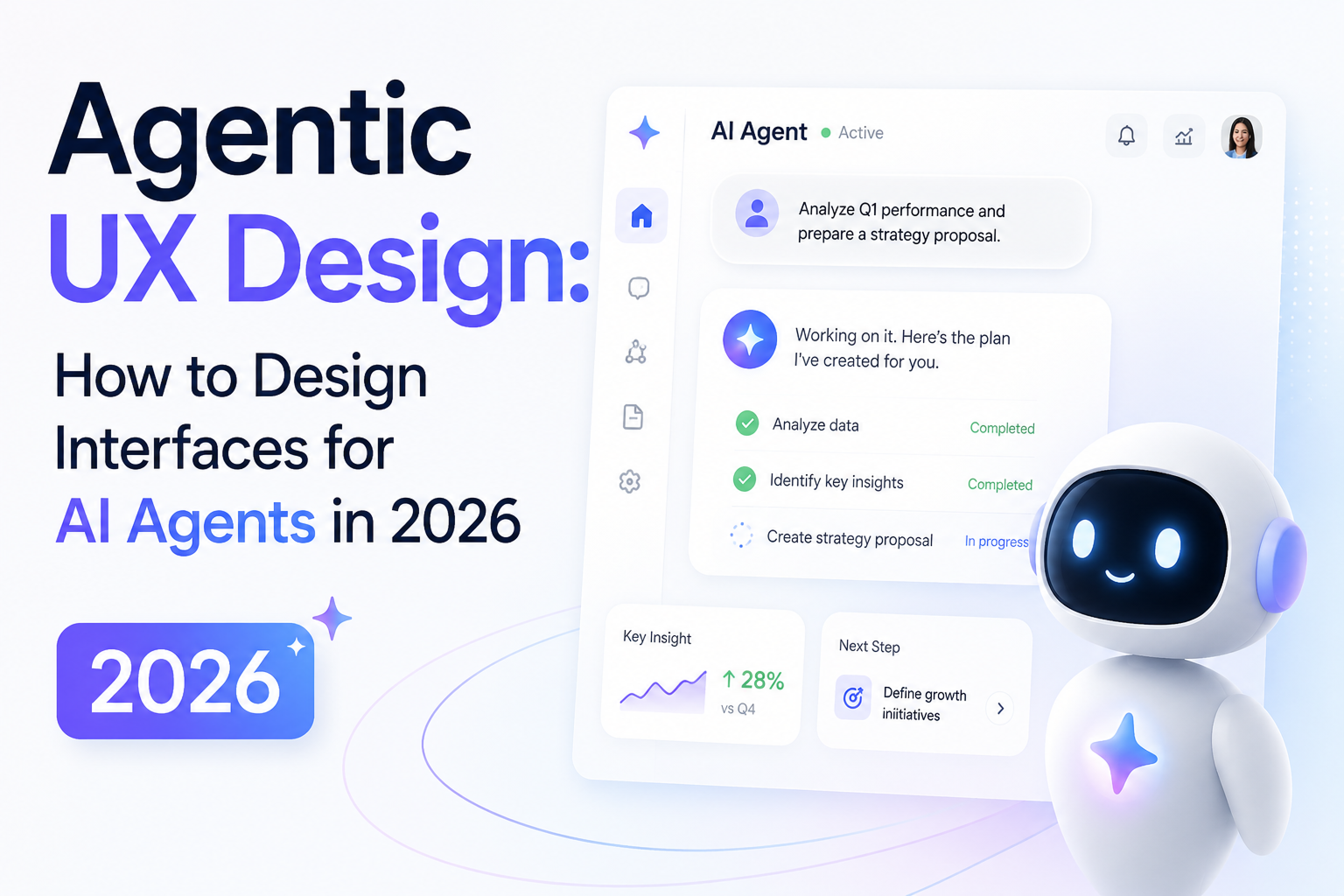
A traditional interface might ask users to choose filters, open records, compare data, and write a response. An agentic interface can let the user say, "Find the top three renewal risks and draft follow-up messages," then show the plan, evidence, actions, and approval points.
- The user defines the goal.
- The agent proposes or executes a sequence of steps.
- The interface explains what is happening.
- The user can approve, pause, correct, or take over.
Why Agentic Interfaces Need a Different UX Approach
Classic UX is built around direct manipulation: the user clicks a button and sees a result. Agentic UX is built around delegation: the user gives an intent and the system performs several actions in between. That middle layer introduces uncertainty, and uncertainty changes the design problem.
1. Users need to understand scope.
An agent should never feel like it can roam everywhere. Show what data, tools, files, or permissions it can access before it acts.
2. Users need confidence in the plan.
When a task has multiple steps, show the agent's intended path. A visible plan reduces anxiety and makes the agent feel like a collaborator.
3. Users need control at the right moments.
Low-risk steps can be automated. High-risk steps, such as sending emails, charging money, deleting data, or changing settings, should ask for confirmation.
Core Principles of Agentic UX Design
1. Design for goals, not prompts.
A prompt box is useful, but it should not be the whole experience. Give users structured ways to set goals, constraints, tone, budget, time range, audience, and success criteria.
2. Make the agent's state visible.
Users should know whether the agent is thinking, searching, drafting, waiting for approval, blocked, or finished. State visibility turns invisible AI activity into understandable workflow.
3. Separate suggestions from actions.
A recommendation is not the same as execution. Design separate UI treatments for "I suggest this" and "I am about to do this." That distinction protects trust.
4. Keep humans in the loop for risk.
The higher the consequence, the more explicit the confirmation should be. Use review screens, side-by-side diffs, undo options, and clear approval buttons.
5. Make memory editable.
If the agent remembers preferences, roles, brand rules, or past decisions, users need a way to inspect and edit that memory. Hidden memory can quickly feel uncomfortable.
Key UI Patterns for AI Agent Interfaces
Goal Composer
Use a guided input area where users can describe the task and set constraints. Add chips, dropdowns, examples, and saved templates so users do not need to write perfect prompts.
Plan Preview
Before the agent runs, show the steps it plans to take. Let users reorder, remove, or add steps when the task is complex.
Activity Timeline
Show what the agent has done: sources checked, tools used, files changed, drafts created, and decisions made. This is especially important for business workflows.
Approval Queue
When multiple actions need review, group them into an approval queue. Users should be able to approve one, approve all low-risk items, edit, or reject.
Evidence Panel
For decisions and recommendations, show the evidence behind the output. Include source links, extracted facts, confidence indicators, or comparison tables when relevant.
How to Build Trust in Agentic UX
Trust does not come from making the AI sound confident. It comes from making the system understandable, interruptible, and accountable.
- Use plain language for what the agent can and cannot do.
- Show uncertainty when the answer is incomplete or based on weak evidence.
- Offer undo, version history, and change summaries for important actions.
- Let users correct the agent without restarting the entire workflow.
- Keep permissions narrow and visible.
The goal is not to make the agent look magical. The goal is to make it dependable.
Common Agentic UX Mistakes to Avoid
Hiding the agent's process.
If users only see a final answer, they cannot judge whether the process was sensible. Show enough process to build confidence without overwhelming them.
Using chat for everything.
Chat is flexible, but forms, tables, previews, timelines, and review screens are often better for complex work. Agentic UX should blend conversation with structured UI.
Automating high-risk actions too early.
Do not let speed outrun safety. Start with suggestions and approvals, then increase automation only after users trust the workflow.
Forgetting edge cases.
Agents will get blocked, miss context, ask unclear questions, or produce weak results. Design recovery states: retry, clarify, escalate, edit, and undo.
Agentic UX Checklist for 2026
- Can users clearly define the goal and constraints?
- Can they see what tools, data, and permissions the agent will use?
- Is there a visible plan before complex tasks run?
- Are risky actions separated from low-risk suggestions?
- Can users approve, pause, edit, reject, or undo actions?
- Does the interface show evidence for important recommendations?
- Can users inspect and change what the agent remembers?
- Are failure and handoff states designed clearly?
Final Thoughts: Design the Agent, Not Just the Screen
Agentic UX design is one of the most important product design shifts of 2026. As AI agents become part of daily workflows, the winning products will not be the ones that simply add a chat box. They will be the ones that help users delegate work with clarity, confidence, and control.
If you are building an AI-powered product, start by mapping the decisions, risks, permissions, and approval moments in the user journey. Then design the interface around trust. Need help designing an AI agent experience? Contact Webx Design Studio for a UX strategy session.