


An outdated design system does more than make a product look behind the times. It slows decisions, leaves teams rebuilding the same patterns, creates inconsistencies that users notice, and turns every release into a debate about basics.
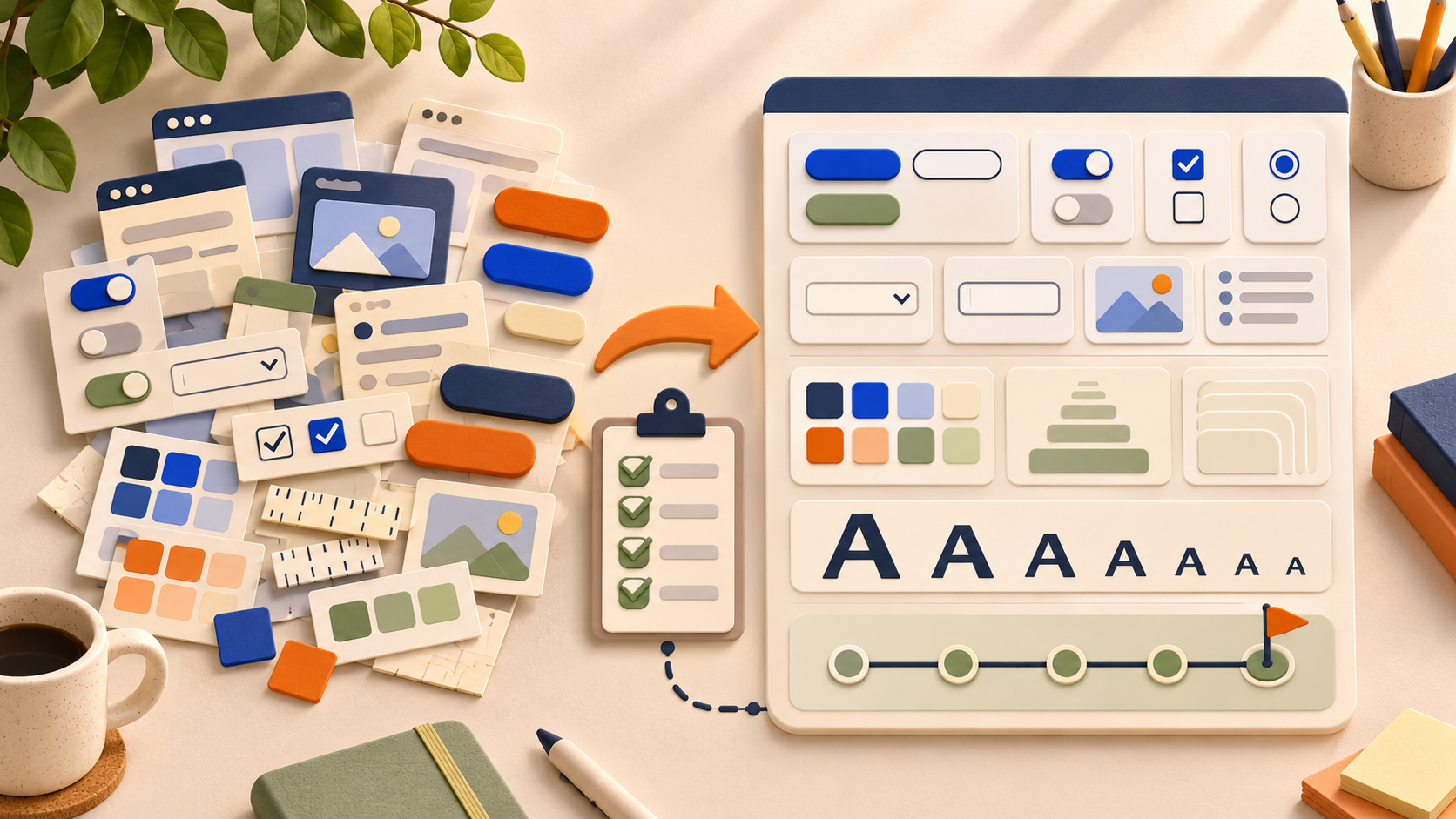
Modernization is not a cosmetic reskin or a huge “big bang” replacement. It is a deliberate way to make the system useful again: understand the real gaps, establish a dependable foundation, migrate the work that matters most and create habits that keep it healthy.
Know When the System Needs an Upgrade
A design system rarely becomes outdated overnight. It becomes expensive in small, repeatable moments: a button behaves differently on two screens, a new team creates another version of a familiar pattern, or a designer cannot tell which component is approved. Those are operating problems, not merely visual ones.
Treat these signals as an invitation to improve the system's operating model—not as a reason to discard every useful decision it already contains.
Audit What Exists Before Redesigning
Start with evidence. Inventory the screens, components, tokens and coded patterns people actually use. Include the awkward edges: empty states, errors, data-dense tables, mobile breakpoints, loading behaviour and the one-off flows that quietly became permanent.
Then group what you find by purpose rather than by file. A “primary action” might be represented by six different buttons; that is a useful finding. The goal is not to document every inconsistency forever. It is to see which decisions should become one shared rule.
| Audit lens | Look for | Modernization outcome |
|---|---|---|
| Foundations | Duplicate colors, spacing values, type styles and shadows | A small, named token layer that can change safely |
| Components | Near-identical controls with unclear ownership or behaviour | One purposeful component with documented variants and states |
| Journeys | Inconsistent patterns across key tasks and devices | Prioritized migration by user and business impact |
| Delivery | Design and code that drift after every release | A shared release, review and contribution workflow |
Reset the Foundations First
Foundations are the decisions that make a system coherent: color, typography, spacing, elevation, radii, motion, grids and breakpoints. If they are hardcoded in dozens of places, every future update costs too much. Move them into semantic tokens that describe their role—not only their appearance.
For example, a token named surface-primary can support a light or dark theme without asking every product team to decide which hex value to use. The same principle applies to text, borders, focus states and spacing. Good foundations give components a stable language while keeping room for product-specific needs.
The point of design tokens is not to make every decision abstract. It is to make the decisions that repeat easy to understand, change and trust.
Rebuild Components as Products, Not Just Assets
A modern component is more than a pretty default state in a design file. It should explain what problem it solves, when to use it, how it behaves, which variants are supported and what happens when content, data or connection conditions are imperfect.
- Start with high-traffic patterns: inputs, buttons, navigation, cards, feedback and data display usually create the fastest return.
- Design the full state model: include hover, focus, disabled, loading, error, empty and responsive states where relevant.
- Keep variants intentional: each variant needs a real use case; avoid adding a choice for every past exception.
- Pair design with code: a component is only shared when the implementation can be found, understood and used with confidence.
- Document decisions in context: show guidance and examples next to the component, not in a forgotten deck.
Plan a Safe Migration Instead of a Big-Bang Release
The most resilient modernization plans are incremental. Choose one meaningful product area, define the new foundations and components it needs, and release them in a live context. This gives the team a feedback loop before the system spreads across every surface.
A practical modernization sequence
- Set a clear outcome: faster delivery, fewer UI defects, improved accessibility, a brand refresh—or a combination.
- Audit key journeys and identify the foundations and components they share.
- Build the smallest viable foundation layer and component set.
- Pilot it in a high-value, manageable product area.
- Capture adoption feedback, improve guidance and resolve implementation gaps.
- Migrate adjacent journeys in planned releases; retire legacy patterns deliberately.
Keep an explicit bridge between old and new. Teams need to know which legacy components are still supported, what replaces them and when that support ends. Without that clarity, the organization ends up maintaining two systems indefinitely.
Use Accessibility as a Quality Bar
Modernization is a rare chance to correct patterns that excluded or slowed people. Build accessible defaults into components: visible keyboard focus, meaningful labels, sufficient contrast, touch-friendly targets, reduced-motion alternatives and states that do not depend on color alone.
Accessibility should not be a final review item. When it is part of a component’s definition of done, every product team receives a stronger starting point and accessibility becomes less expensive to maintain over time.

Build Governance and Adoption Into the System
A system without ownership becomes a snapshot. Give it a small cross-functional core team, a visible roadmap and a lightweight contribution path. The core team should protect quality and coherence, but contributors should be able to bring real product needs into the system before they become one-off solutions.
Measure Progress That Matters
Success is not the number of components in a library. Look for better outcomes in the product and the process: fewer duplicate patterns, faster delivery of common UI, reduced visual defects, stronger accessibility coverage, lower maintenance effort and improved consistency across key journeys.
Pair quantitative signals with team feedback. If people still work around the system, find out why. An adopted system is one that is easier to use than to ignore.
Design-System Modernization Checklist
Before you call the upgrade complete
- The purpose and measurable outcomes of modernization are agreed.
- Key journeys, legacy patterns and coded counterparts have been audited.
- Foundations use understandable, semantic tokens rather than scattered values.
- Priority components cover real states, responsive behaviour and accessibility needs.
- Design and code implementations are linked and documented.
- A migration path identifies what is new, what is legacy and what is being retired.
- Ownership, contribution and release practices are clear.
- Teams receive guidance, examples and support during adoption.
- Product and operational metrics are reviewed after each release.
Frequently Asked Questions
Should we rebuild the entire design system at once?
Usually no. Start with the foundations and components used most often, then migrate product surfaces in planned increments. This creates value early while keeping delivery moving.
What should be included in a modern design system?
Include shared foundations, tokens, reusable components, usage guidance, accessibility rules, coded counterparts and a clear process for ownership and contribution.
How do you stop a new design system becoming outdated?
Treat it as a product. Give it maintainers, a release process, quality checks, contribution rules and regular feedback from the people who use it.
Make the System a Better Way to Build
The best modernization work does not make every product screen identical. It creates enough shared language and quality to let teams spend their energy on the differences that genuinely matter to their users.
Planning a design-system refresh or a more consistent digital product? Talk to Webx Design Studio about your product foundation.